How We Launched 3 Outdated Mobile Apps in Just 45 Days
Discover how Xtellig revived and launched a legacy mobile app in just 45 days by upgrading React Native, fixing a broken codebase, and handling App Store & Play Store approvals end-to-end.
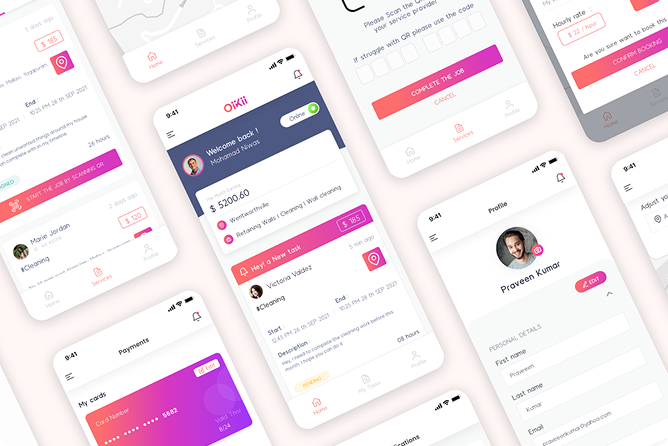
In early 2025, a client approached Xtellig with a problem many product owners face but few talk about openly:
They had a mobile app built in 2022, dropped it due to a messy codebase and incomplete features, and now urgently need it live again, on both iOS and Android.
The platform was Oiikii, an online service-hiring solution with three separate mobile apps:
Each app needed to be production-ready, compliant with the latest App Store and Play Store policies, and launched fast.
What looked like a “simple relaunch” turned out to be a deep technical rescue mission.
1. The Real Challenge: Legacy Code Meets Forced Platform Upgrades
Here’s what we were dealing with:
- Outdated React Native version (0.68)
- A messy, tightly coupled codebase
- Incomplete and unstable features
- Multiple deprecated packages
- No clear upgrade path
Then came the real blocker.
In August 2025, Google enforced a new requirement:
Android apps must target API level 35+ to be released or updated on the Play Store.
That single policy change forced a major upgrade:
- React Native 0.68 → 0.81.4
- Migration to the new Fabric architecture
- Replacement or patching of unsupported packages
- Gradle and SDK upgrades that broke existing builds
At this point, incremental fixes were pointless.
2. The Decision That Saved 30+ Days: Start Clean, Not Safe
Instead of trying to “patch and pray”, we made a hard technical call:
Create a fresh React Native project and migrate intentionally.
Our Approach
- Created a clean React Native 0.81.4 project
- Migrated one app first (Customer App)
- Documented everything:
- Breaking changes
- Package replacements
- Architecture-level adjustments
- Fixed compatibility issues with Fabric
- Patched unsupported packages and raised issues on open-source repos
- Once stable, replicated the same migration strategy for:
- Service Provider App
- Agent Employee App
This approach reduced guesswork, avoided repeated failures, and turned chaos into a repeatable process.
3. Execution Reality: One Senior Engineer, No Room for Excuses
This wasn’t a large-team effort.
- Team size: 1 senior engineer
- Client updates: Weekly, transparent progress reports
- Refactor type: Partial refactor + platform modernization
- Responsibility: Development + Play Store & App Store submissions handled entirely by us
During final submission, we faced:
- Multiple store rejections
- New compliance requirements mid-review
- Additional changes requested by review teams
We addressed every issue, resubmitted, and stayed aligned with store policies until approval.
4.Timeline & Outcome
- Development & migration: ~45 days
- Store review & approvals: ~15 days (including rejections and fixes)
- Platforms: iOS & Android
- Status: Successfully approved and live
What was abandoned in 2022 was now:
- Modernized
- Fully compliant
- Maintainable
- Ready for future iterations
5. Key Takeaways for Product Owners
If you’re sitting on an old mobile app, here’s the reality:
- Legacy code doesn’t age gracefully
- App store policies can force upgrades overnight
- Incremental fixes often cost more than structured refactors
- A clean migration beats endless firefighting
Launching fast isn’t about shortcuts, it’s about making the right technical decisions early
6. Why This Matters for Clients
We didn’t just “update an app.”
We:
- Rescued a dropped product
- Navigated forced platform changes
- Modernized three apps under a tight timeline
- Took full ownership from code to store approval
That’s the difference between shipping and surviving.
Thinking of reviving or modernizing your mobile app?
If your product is stuck on old tech, failing store reviews, or blocked by platform upgrades - we’ve been there and fixed it.
If that’s how you want your product built, Let’s talk