How We Simplified Team Collaboration and Project Management in One Workflow
Most teams don’t struggle because they lack tools. They struggle because they have too many.
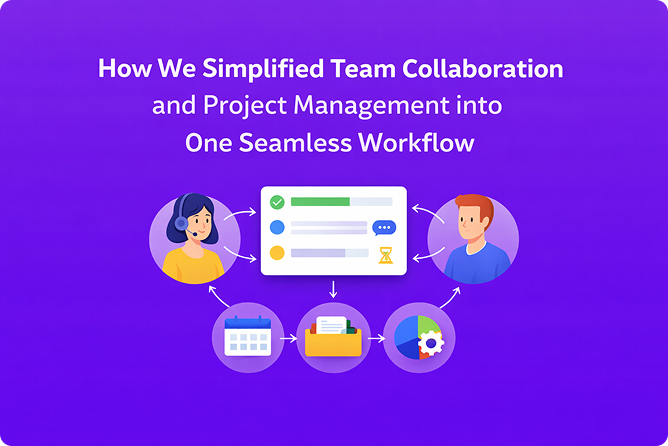
Chat apps, task boards, automation tools, emails, plugins, and integrations. Each one solves a problem in isolation, but together they slow teams down through constant context switching and fragmented information.
At Xtellig, we faced this reality while managing client delivery, product development, and internal operations simultaneously.
Instead of adding more integrations or switching tools repeatedly, we standardized our collaboration and project management around a single workflow using Autosocializer.
This is how we simplified the way our teams work.
1. The Real Problem: Fragmentation, Not Productivity
Before standardizing our workflow, work was spread across multiple tools:
- Conversations happened in chat apps
- Tasks lived in separate project tools
- Automation was handled externally
- Decisions were buried in emails or comments
Nothing was completely broken. But everything required extra effort to connect.
The real issues were:
- Constant tool switching
- Lost context between discussions and tasks
- Manual follow-ups for routine actions
- No single place to understand “what’s actually happening”
The problem wasn’t effort. It was fragmentation.
2. The Decision: One Workflow as the Source of Truth
Rather than stitching tools together with more integrations, we made a clear decision:
Use one workflow for collaboration, project tracking, and execution.
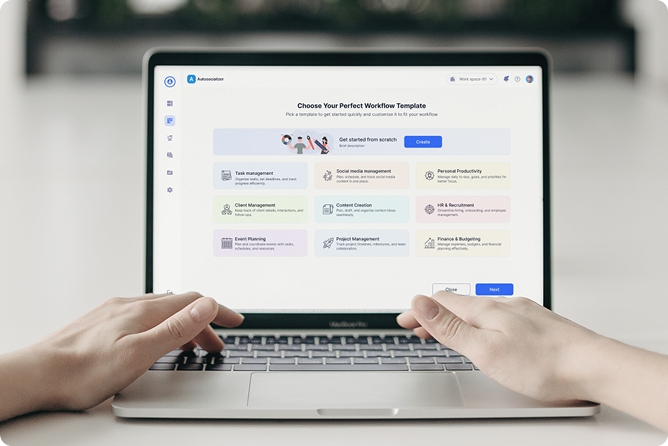
Autosocializerbecame that central workspace for us, not as a product showcase, but as the system we rely on daily.
The goal was simple:
- Keep conversations close to the work
- Make progress visible without extra reporting
- Reduce manual coordination
The goal wasn’t to replace tools for the sake of it. It was to remove unnecessary boundaries between how teams communicate and how work gets done.
3. How We Use Autosocializer in Our Daily Work
We don’t treat Autosocializer as “another tool.” We use it as the place where work actually happens.
It brings together:
- Team communication
- Project boards and tasks
- Workflow-driven execution
- Built-in automation
By keeping everything connected, teams don’t need to constantly jump between platforms to stay aligned
4. Collaboration With Context
Context-Driven Communication
One of the biggest improvements came from context-driven communication.
Instead of discussing work in separate chat tools:
- Conversations happen directly inside tasks and workflows
- Decisions stay attached to the work they affect
- Anyone joining later can see the full context
This eliminated repeated explanations and reduced misunderstandings across teams
5. Project Management Focused on Execution
We don’t manage projects through heavy dashboards or status reports.
Our workflow focuses on:
- Clear task ownership
- Simple, workflow-based boards
- Real-time updates without manual syncing
This keeps teams aligned without constant meetings or follow-ups.
6. Automation That Reduces Manual Effort
Automation plays a supporting role in our workflow.
We use it to:
- Move tasks between stages
- Trigger notifications and reminders
- Handle repetitive operational steps
Because automation is part of the same workflow:
- There’s no dependency on third-party tools
- No broken integrations to maintain
- Less manual coordination
Automation exists to reduce friction, not add complexity.
7. What We Intentionally Avoided
Simplifying a workflow means saying no.
We avoided:
- Feature overload
- Plugin-heavy setups
- Over-customization that breaks consistency
- Tools that require constant maintenance
Every part of the workflow must justify its existence by improving execution.
8. The Outcome: Fewer Tools, Clearer Execution
By using Autosocializer as our primary collaboration and project workflow, we achieved:
- Reduced context switching across teams
- Faster execution and decision-making
- Fewer missed updates and handoffs
- One clear source of truth
Today, this workflow supports:
- Product development
- Client delivery
- Hiring processes
- Internal operations
All without juggling multiple disconnected tools
9. Why This Matters for Our Clients
Most execution problems don’t come from lack of skill.
They come from messy systems.
When collaboration and project management live in one workflow:
- Teams move faster with less stress.
- Communication stays clear as teams scale.
- Automation supports people instead of replacing them.
This same thinking guides how we design systems and products for our clients:
- simplify first, then scale.
10. Final Thought
We didn’t change our workflow to adopt a new tool.
We changed it to remove friction from how work gets done.
The takeaway is simple:
- Complex work doesn’t need complex systems.
- It needs clarity, structure, and a unified workflow.
If your team is buried under tools and manual coordination, the problem isn’t productivity.
It’s fragmentation.
If that’s how you want your systems built, let’s talk.